



What is a QCAD Wallet?
A QCAD wallet is a digital interface that allows you to store, manage, and interact with QCAD tokens on the blockchain. QCAD is a Canadian Dollar-pegged stablecoin, designed to provide the stability of the fiat currency on the blockchain. It allows users to leverage the benefits of digital assets while maintaining exposure to the Canadian Dollar, facilitating seamless transactions and integration into the Web3 ecosystem, often supported by major wallets like Bitget Wallet. Because QCAD operates on the EVM (Ethereum Virtual Machine) standard, your wallet functions as a bridge to the broader Ethereum-compatible DeFi landscape, ensuring your stablecoin assets are always ready for interaction.
Download Bitget QCAD Wallet
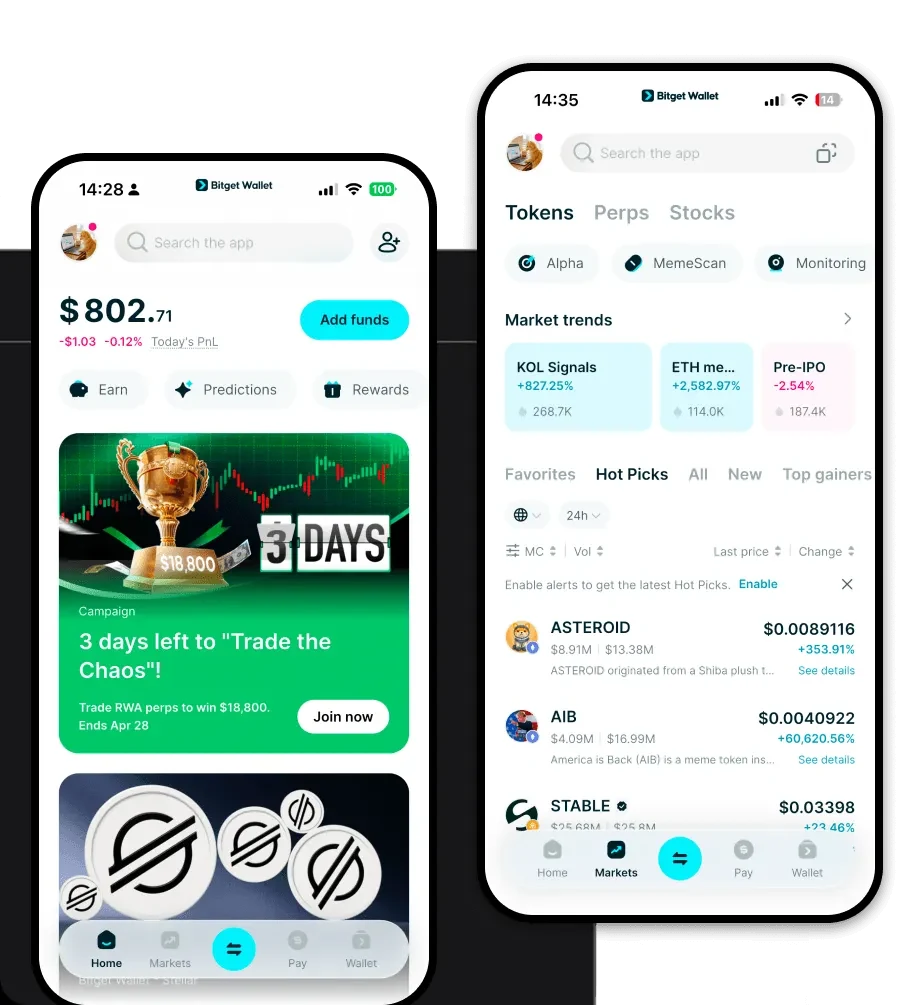
To start managing your QCAD effectively, you need a tool that bridges the gap between traditional finance and the decentralized web. The best approach is to download Bitget Wallet, a premier non-custodial solution that puts you in complete control of your private keys. Whether you are using an iOS device, an Android smartphone, or a desktop browser extension, Bitget Wallet offers a unified experience across all platforms. It is built to support over 130 public chains, ensuring that as your portfolio grows beyond QCAD, your access to different ecosystems remains seamless and secure.
Why Choose Bitget QCAD Wallet?
Choosing the right wallet for a stablecoin like QCAD requires prioritizing security, compatibility, and speed. Here is why Bitget Wallet stands out for QCAD users:
- Native EVM Compatibility: Since QCAD is built on EVM architecture, Bitget Wallet provides native support, allowing you to interact with decentralized exchanges and lending protocols without complex configurations.
- Advanced Security Infrastructure: With a $300 million user protection fund, Bitget Wallet adds a crucial layer of safety, ensuring your stablecoin reserves are shielded from common platform vulnerabilities.
- Seamless DApp Integration: Access the entire Web3 ecosystem directly from your wallet, making it easy to swap QCAD for other assets or participate in liquidity pools instantly.
- Transparent Reserve Management: The wallet interface allows you to track your holdings and transaction history with clarity, complementing the transparent nature of QCAD reserves.
- Gas-Efficient Transactions: Benefit from optimized smart contract interactions that help you minimize gas fees when moving your QCAD across the EVM network.
How to Create a QCAD Wallet
Setting up your wallet is a straightforward process designed to prioritize your security. Follow these steps to get started:
- Download and Install: Visit the official Bitget Wallet website and download the application for your specific device (iOS, Android, or Browser Extension).
- Create a New Wallet: Open the app and select 'Create a Wallet.' You will be prompted to set a secure password for your device.
- Back Up Your Seed Phrase: The app will generate a 12-word recovery phrase. Write this down on paper and store it offline; never share this with anyone, as it is the only way to recover your funds.
- Verify Your Setup: Follow the on-screen prompts to re-enter your recovery phrase to ensure you have backed it up correctly.
- Add QCAD to Your Assets: Once your wallet is active, go to the 'Manage Tokens' section, search for the QCAD contract address on the EVM network, and toggle it to add it to your main dashboard.
What Can You Do With a QCAD Wallet?
Holding QCAD in a non-custodial wallet unlocks a variety of financial use cases that bridge the gap between fiat and crypto:
- Trading: Use your QCAD to trade against other tokens on decentralized exchanges (DEXs) directly within your Bitget Wallet, taking advantage of the stablecoin's consistent value.
- Payments: Facilitate fast, near-instant payments for services or goods that accept stablecoins, utilizing the efficiency of the EVM blockchain.
- Cross-border Remittances: Send value across borders at a fraction of the cost and time compared to traditional banking systems by leveraging the instant settlement capabilities of QCAD.
- Hedging Volatility: Quickly swap volatile assets into QCAD during market downturns to preserve your capital value while remaining on-chain.
- On-chain Liquidity Provision: Deposit your QCAD into liquidity pools on DeFi platforms to earn passive yield, effectively putting your stable assets to work.
How QCAD Wallets Are Different from Other Crypto Wallets
When dealing with a stablecoin like QCAD on an EVM chain, your wallet experience differs significantly from other architectures. Unlike Bitcoin wallets that utilize the UTXO model—where you manage individual unspent outputs—the Bitget QCAD wallet utilizes the EVM 'Account Model.' This means your wallet acts like a bank account with a balance, which is far more efficient for smart contract interactions. Furthermore, because you are operating on an EVM network, you must consider gas fees for every transaction, a concept that is distinct from the low-fee, high-throughput nature of non-EVM chains like Solana. Bitget Wallet optimizes this experience by providing clear gas fee estimates, ensuring that your stablecoin transactions remain predictable and cost-effective.
