





1. What is an SCP Wallet?
An SCP wallet is a digital interface that allows users to interact with the ScPrime network, enabling them to hold, send, and receive SCP tokens. ScPrime (SCP) is a decentralized cloud storage network designed to provide a secure, cost-effective, and enterprise-grade alternative to traditional cloud providers. It leverages a global network of providers to offer scalable storage solutions, ensuring data privacy and reliability for users and businesses. Because SCP operates on its own specialized blockchain infrastructure, using a compatible wallet is essential for maintaining control over your assets and participating in the network's decentralized storage economy.
2. Download Bitget SCP Wallet
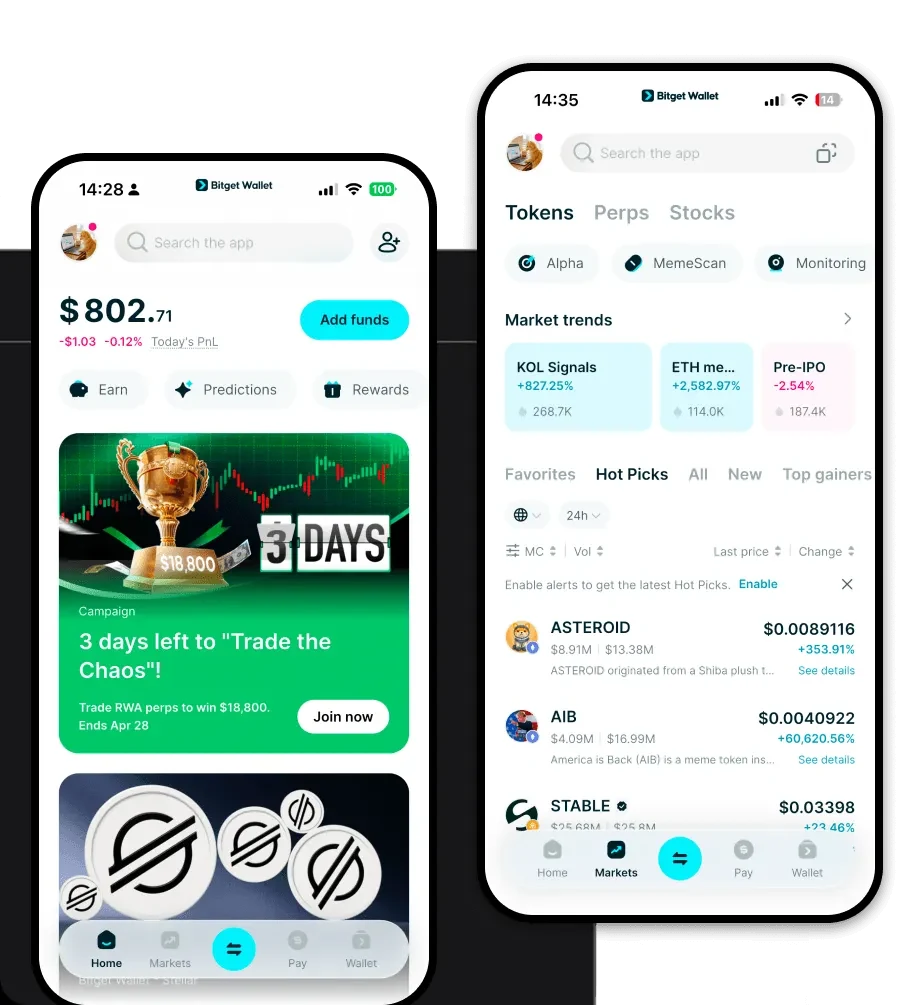
Managing your SCP tokens requires a secure and versatile gateway. Bitget Wallet stands out as a premier choice for users seeking a seamless experience across multiple chains. By choosing to 'download Bitget Wallet' (https://web3.bitget.com/zh-CN/wallet-download), you gain access to a platform that prioritizes user sovereignty through private key self-custody. Whether you are working from a desktop or on the move, the wallet is available as a mobile app for iOS and Android, as well as a browser extension, ensuring your SCP assets are always within reach. Its architecture is built to support a vast ecosystem, providing a unified interface where you can manage your SCP alongside millions of other tokens across 130+ mainstream blockchains.
3. Why Choose Bitget SCP Wallet?
When dealing with infrastructure-level tokens like SCP, your choice of wallet impacts your security posture and operational efficiency. Bitget Wallet is engineered to handle the complexities of modern web3, offering several distinct advantages:
- Enterprise-Grade Security Integration: With a $300 million user protection fund, Bitget Wallet provides a robust safety net, ensuring your assets are shielded against unforeseen risks.
- Seamless Multi-Chain Aggregation: Unlike siloed wallets, Bitget aggregates hundreds of DEXs and cross-chain bridges, allowing you to move value between the ScPrime ecosystem and other chains without friction.
- Advanced Asset Management: The interface is designed for power users, providing real-time market data and insights that are crucial for managing infrastructure-based assets.
- DApp Browser Connectivity: Easily interact with decentralized cloud platforms and storage marketplaces directly through the integrated DApp browser.
4. How to Create an SCP Wallet
Setting up your wallet is a straightforward process designed to maximize your security from the very first step. Follow these instructions:
- Install the Application: Visit the official Bitget Wallet website and download the appropriate version for your device (iOS, Android, or Browser Extension).
- Initialize Your Wallet: Open the app and select 'Create a New Wallet.' The system will prompt you to set a strong, unique password to encrypt your local data.
- Backup Your Seed Phrase: This is the most critical step. Write down your 12-word recovery phrase on paper and store it in a secure, offline location. Never share this with anyone.
- Verify Your Setup: Follow the on-screen prompts to confirm your recovery phrase, ensuring you have recorded it accurately.
- Access Your Address: Once initialized, your wallet is ready. You can now view your public address, which allows you to receive SCP tokens from exchanges or other network participants.
5. What Can You Do With an SCP Wallet?
Your SCP wallet is more than just a place to store tokens; it is your key to the decentralized cloud economy. Here is how you can utilize your assets:
- Paying for storage services: Use your SCP tokens to purchase decentralized cloud storage capacity directly on the ScPrime network, bypassing traditional cloud providers.
- Earning rewards as a storage provider: If you contribute your own hardware to the network, your wallet acts as the destination address for receiving your monthly service rewards.
- Securing data across distributed networks: Utilize your wallet to manage the cryptographic signatures required to verify and authorize data storage operations.
- Managing decentralized cloud resources: Actively monitor your balance and allocation of SCP used to maintain active storage contracts and service subscriptions.
- Trading on supported exchanges: Easily transfer your SCP tokens between your personal wallet and supported trading platforms to manage your liquidity.
6. How SCP Wallets Are Different from Other Crypto Wallets
Because ScPrime operates as a specialized infrastructure project, its wallet requirements differ from standard DeFi or NFT-focused wallets. While many wallets are optimized for EVM-based smart contract interaction, an SCP-compatible wallet must focus on the nuances of a storage-based blockchain. Unlike wallets designed for high-frequency trading (which prioritize speed and gas optimization), an SCP wallet emphasizes the reliable, long-term storage of tokens used for network utility. You are not merely holding a speculative asset; you are managing a utility token that functions as a payment layer for enterprise-grade cloud services. This requires a wallet that maintains high uptime and clear transaction history, ensuring that every payment made for storage capacity is transparent and verifiable on the ledger.
