What is a QKT Wallet?
A QKT wallet is a digital interface designed to securely store, manage, and interact with your QKT tokens. As an asset built on the Ethereum Virtual Machine (EVM) ecosystem, QKT relies on a wallet that supports the EVM standard to ensure seamless compatibility with decentralized applications (dApps) and smart contracts. Whether you are holding for the long term or actively participating in the DeFi ecosystem, having a dedicated wallet is essential for maintaining control over your private keys and transaction history.
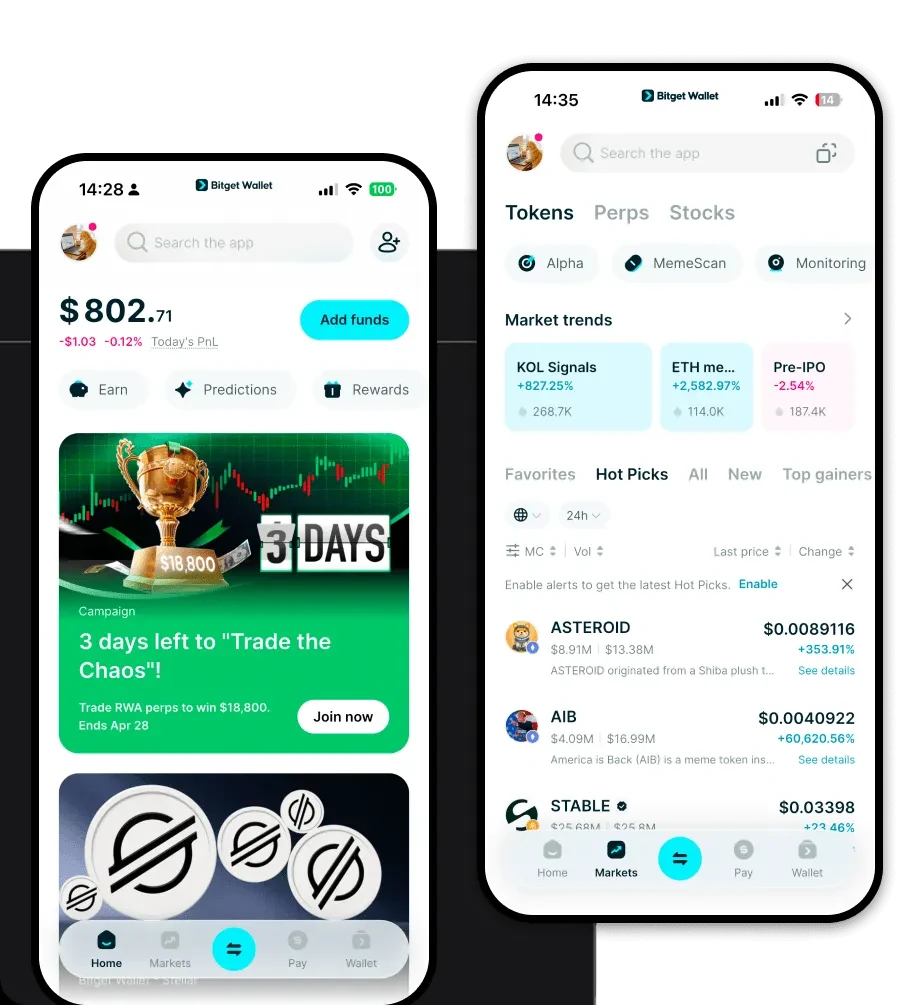
Are you looking for a reliable and secure crypto wallet for your QKT? Bitget Wallet will be your best choice. Trusted by 40 million users, you can freely explore Web3 on Bitget Wallet. Start your journey now!
Download Bitget QKT Wallet
Accessing your QKT tokens should be seamless across all your devices. Bitget Wallet provides a unified experience that allows you to manage your assets whether you are at your desk or on the go. Designed for the modern Web3 user, the application supports extensive multi-chain functionality, ensuring that your EVM-based assets are always accessible.
You can download Bitget Wallet directly to your iOS or Android device, or install the browser extension for desktop convenience. By utilizing a self-custodial model, Bitget Wallet ensures that you remain the sole owner of your private keys and recovery phrases, removing the risks associated with centralized exchanges. With support for over 130 public chains and millions of tokens, it serves as the ultimate hub for your QKT portfolio.
Why Choose Bitget QKT Wallet?
Choosing the right wallet for your EVM-based tokens is critical for both security and utility. Bitget Wallet stands out by providing a specialized environment tailored for DeFi enthusiasts:
- EVM Native Compatibility: Bitget Wallet is built from the ground up to support the EVM architecture, ensuring that your QKT tokens integrate perfectly with smart contracts and dApps.
- Advanced Cross-Chain Interoperability: Easily swap your QKT for assets on other chains using built-in bridge aggregators, allowing you to move liquidity without leaving your wallet.
- Decentralized Governance Integration: Participate directly in DAO proposals and governance voting for your QKT holdings through a streamlined, secure interface.
- High Liquidity Access: By aggregating hundreds of DEXs, the wallet ensures you get the best market rates and slippage protection when trading your tokens.
- Robust Security Foundation: With a $300 million user protection fund and audited smart contract interactions, your assets remain shielded from common Web3 vulnerabilities.
How to Create a QKT Wallet
Setting up your QKT wallet is a straightforward process designed to get you started in minutes:
- Download and Install: Visit the official website to download Bitget Wallet for your mobile device or browser.
- Create a New Wallet: Open the app and select 'Create a Wallet.' Ensure you are in a private environment.
- Secure Your Seed Phrase: Carefully write down your 12-word recovery phrase. Store it offline—never take a screenshot or share it with anyone.
- Verify and Set Password: Complete the verification steps and set a strong, unique password for app access.
- Add QKT: Once your wallet is active, use the 'Add Token' feature to import QKT using its contract address if it does not appear automatically, and you are ready to receive funds.
What Can You Do With a QKT Wallet?
Owning QKT in a Bitget Wallet opens up a world of DeFi opportunities. Beyond simple storage, you can actively put your assets to work:
- Staking: Lock your QKT tokens within supported protocols to earn yield and contribute to network security.
- Trading: Use the integrated DEX aggregator to trade your QKT for other tokens with minimal slippage and competitive fees.
- Providing Liquidity: Deposit your QKT into liquidity pools on decentralized exchanges to earn a share of trading fees.
- Yield Farming: Optimize your returns by participating in various yield farming strategies directly through the wallet's dApp browser.
- Governance Voting: Exercise your rights as a token holder by casting your vote on important protocol proposals directly from your wallet interface.
How QKT Wallets Are Different from Other Crypto Wallets
When managing QKT, it is vital to understand that not all wallets function the same way. Because QKT is an EVM-based asset, it operates on an account-based model, which is distinct from the UTXO models used by Bitcoin. Unlike legacy wallets that might struggle with complex smart contract interactions, a specialized EVM wallet like Bitget is optimized for 'Gas' management. It provides real-time gas fee estimations, allowing you to adjust transaction speeds based on network congestion. Furthermore, while some wallets prioritize simple storage, Bitget Wallet focuses on the DeFi lifecycle—providing the liquidity tools and dApp connectivity required for active, on-chain participation rather than just passive holding.