1. What is a #BURN Wallet?
A #BURN wallet is a specialized digital interface designed to securely store, manage, and interact with the #BURN token, which operates natively on the EVM (Ethereum Virtual Machine) blockchain. Because #BURN is built on the EVM, it leverages the vast infrastructure of Ethereum-compatible networks, allowing for seamless integration with decentralized finance (DeFi) protocols and NFT marketplaces. As a user, you need a wallet that understands the nuances of the EVM architecture—specifically how gas fees are calculated and how smart contract interactions function—to ensure your transactions are both fast and cost-effective.
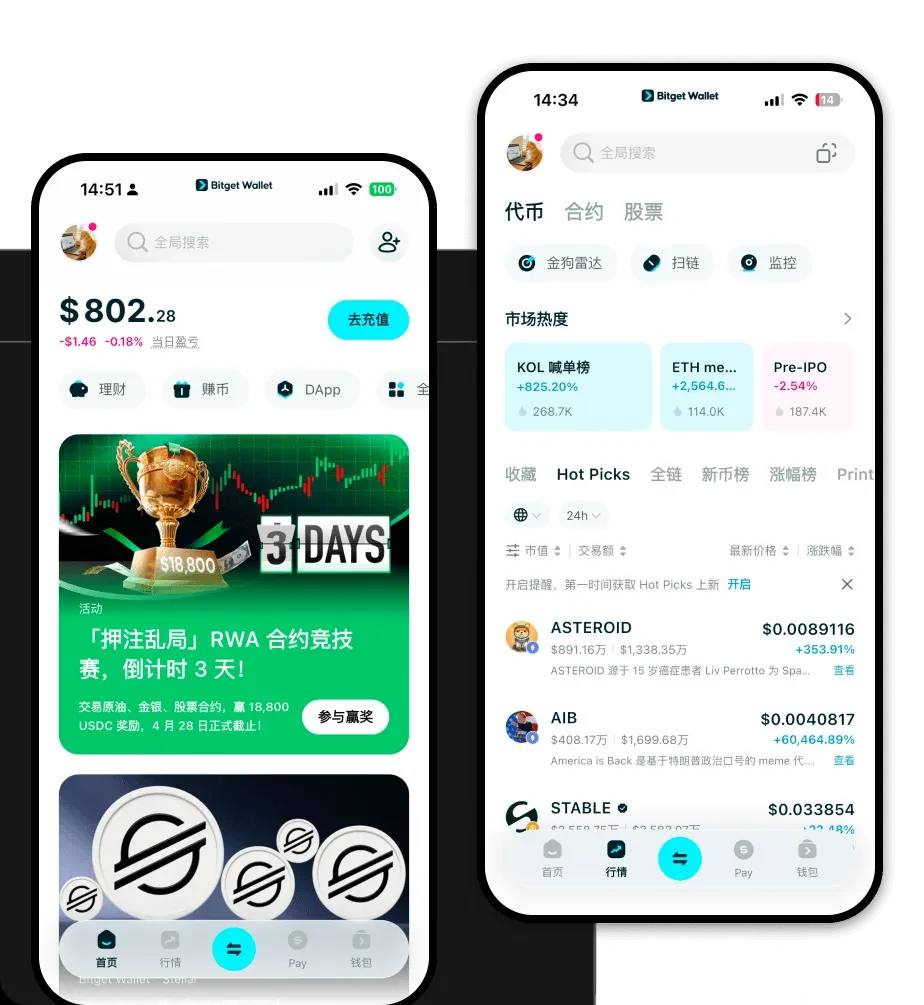
Bitget Wallet serves as an ideal gateway for this experience. As highlighted by the community: "Are you looking for a reliable and secure crypto wallet for your #Burn? Bitget Wallet will be your best choice. Trusted by 40 million users, you can freely explore Web3 on Bitget Wallet. Start your journey now!" By using a dedicated #BURN wallet like Bitget, you gain access to a platform that simplifies the complexities of the blockchain, turning technical operations into intuitive, user-friendly actions.
2. Download Bitget #BURN Wallet
To begin your journey, you need a reliable #BURN wallet app that supports the full spectrum of your digital assets. Bitget Wallet offers a comprehensive solution that is accessible across all major platforms, including iOS, Android, and as a browser extension for Chrome. Unlike centralized exchanges where you rely on third-party custody, Bitget Wallet provides true self-custody, meaning you hold your private keys and have full control over your #BURN tokens at all times.
The installation process is streamlined to get you trading as quickly as possible. Whether you are moving assets from a hardware wallet or starting fresh, the multi-chain support ensures that your #BURN assets remain accessible alongside other tokens in your portfolio. You can easily download Bitget Wallet here to set up your secure environment. With regular updates and a commitment to user experience, the Bitget Wallet app is designed to be the only tool you need to navigate the evolving Web3 landscape.
3. Why Choose Bitget #BURN Wallet?
Choosing the right tool for your #BURN tokens is critical, especially within the volatile and fast-paced Meme coin category. Bitget Wallet stands out for several key reasons:
- EVM Ecosystem Mastery: Built specifically to handle EVM-compatible tokens, Bitget Wallet optimizes gas fee management, ensuring that your transactions are processed efficiently even during periods of high network congestion.
- Seamless DApp Integration: As a Meme coin enthusiast, you likely interact with various decentralized exchanges (DEXs). Bitget Wallet’s built-in DApp browser allows you to connect to liquidity pools and trading platforms directly, without leaving the safety of your wallet interface.
- Advanced Security Infrastructure: With a dedicated 300 million USD user protection fund, Bitget Wallet provides a layer of institutional-grade security, offering peace of mind that is rarely found in standard self-custody wallets.
- High Liquidity Accessibility: The wallet aggregates hundreds of DEXs and cross-chain bridges, ensuring that when you want to trade #BURN, you get the best market rates and the deepest liquidity available.
- Community-Driven Growth Support: Bitget Wallet actively integrates features that cater to the Meme community, such as easy token tracking and real-time market data, keeping you connected to the heartbeat of the #BURN project.
4. How to Create a #BURN Wallet
Setting up your #BURN wallet address is a straightforward process that takes only a few minutes. Follow these steps to get started:
Step 1: Download the Bitget Wallet app from the official website or your device's app store. Avoid unofficial links to ensure maximum security.
Step 2: Open the app and select 'Create a Wallet'. You will be asked to set a strong password to protect your local access.
Step 3: The system will generate a 12-word seed phrase (your recovery phrase). Write this down on paper and store it in a secure, offline location. Never share this with anyone.
Step 4: Once your wallet is created, select 'Add Token' and search for #BURN. If it is a new or custom token, you may need to paste the official contract address to ensure you are adding the correct asset.
Step 5: Your #BURN wallet address is now ready. You can find it by clicking the 'Receive' button, which will display your public address. You can now send #BURN tokens from an exchange or another wallet to this address.
5. What Can You Do With a #BURN Wallet?
Owning #BURN in a Bitget Wallet opens up a world of possibilities beyond simple storage. Here is how you can utilize your assets:
- Speculative Trading: You can engage in rapid speculative trading by connecting your wallet to various decentralized exchanges, taking advantage of the high volatility inherent in the Meme coin market.
- Community Governance Participation: If the #BURN project introduces voting or DAO-like features, you can use your Bitget Wallet to sign transactions and participate directly in community governance without needing an intermediary.
- Liquidity Provision: You can contribute your #BURN tokens to liquidity pools on decentralized platforms, allowing you to earn yield or trading fees while supporting the overall health of the token's ecosystem.
- HODLing for Long-term Appreciation: By utilizing the secure cold-storage features or simply holding your assets in a non-custodial wallet, you can HODL your #BURN for long-term appreciation with the confidence that your keys remain in your control.
- Cross-chain Asset Swapping: If you need to move your assets between different blockchains or swap them for other tokens, Bitget Wallet’s integrated cross-chain swapping features allow you to execute these trades efficiently without needing to move tokens back and forth to a centralized exchange.
6. How #BURN Wallets Are Different from Other Crypto Wallets
When searching for the best wallet for #BURN, it is important to understand why an EVM-optimized wallet like Bitget is superior to generic or UTXO-based wallets. Bitcoin wallets, for example, rely on the UTXO (Unspent Transaction Output) model, which tracks discrete inputs and outputs. In contrast, the EVM model used by #BURN relies on an account-based system, where the wallet tracks the balance of an address directly. This account-based model is essential for the complex smart contract interactions that Meme coins require.
Furthermore, while some wallets struggle with the intricacies of gas fees, a dedicated EVM wallet like Bitget provides real-time gas fee estimates and allows users to adjust transaction speed based on network demand. Unlike generic wallets that might offer limited support for token metadata, Bitget Wallet ensures that your #BURN assets are displayed with correct logos and market data, providing a much more intuitive experience for managing meme-based assets.